
A No-Nonsense Way to Track Your Furniture Shop’s Rank Across Every Street in Town
You’re standing in the center of your furniture showroom, surrounded by Italian leather sofas and mid-century modern dining sets. You pull out your phone, search for “furniture store near me,” and – presto – there you are at the top of the Google Map Pack. You feel a surge of pride, but it’s a dangerous illusion. This is what I call the “Proximity Paradox.” Because you are physically standing at your business location, Google’s algorithm will almost always show you as #1. However, if a potential customer searches for those same high-end sofas from a coffee shop just three blocks away, your business might not even appear in the top 20. To truly compete in today’s market, you must master google business profile seo to understand how your visibility fluctuates across the entire city, not just in your own parking lot.
My name is Kevin Pauls, and as a Google Business Profile Product Expert, I’ve seen countless furniture retailers lose thousands in potential revenue because they relied on outdated ranking reports. If you want to stop guessing and start dominating, you need a strategy that tracks your presence street by street, block by block. This guide will show you exactly how to do that.
Why Traditional Rank Tracking Fails Furniture Showrooms
For years, SEO agencies handed furniture shop owners reports that said things like, “You rank #3 for ‘luxury mattresses’ in Chicago.” In the world of local search, that statement is functionally useless. Why? Because local search results are hyper-dynamic and coordinate-based. There is no single “rank” for a local business; there are thousands of different ranks depending on where the user is standing when they trigger the search.
To understand why traditional tracking fails, we have to look at the three pillars of the local algorithm: Proximity, Relevance, and Prominence. Proximity is the most volatile of these factors. Google’s primary goal is to provide the most convenient solution to the user. If there are five furniture stores between the user and your showroom, Google is unlikely to show your listing unless your relevance and prominence signals are overwhelmingly superior.
As Rashid Rehman famously noted, “Local SEO isn’t marketing; it’s infrastructure.” If your digital infrastructure doesn’t account for the physical distance between your front door and your customer’s smartphone, you are essentially invisible to a huge portion of your target market. Traditional rank trackers use a single IP address or a broad zip code to check rankings, which completely ignores the “neighborhood effect” that defines furniture shopping. You don’t just need to Where to List Your Furniture Shop to Finally Beat the Big Box Competitors; you need to know exactly where your visibility drops off so you can fight back.
Furthermore, furniture is a high-consideration purchase. Customers are willing to drive 5 or 10 miles for the right sectional, but Google’s algorithm is increasingly biased toward immediate proximity. This creates a disconnect. Your “rank” might be #1 within a 1-mile radius, but it might plummet to #15 at the 3-mile mark. If you aren’t tracking this “decay,” you can’t fix it.
Enter the Geo-Grid: The “Heatmap” for Local Furniture Sales
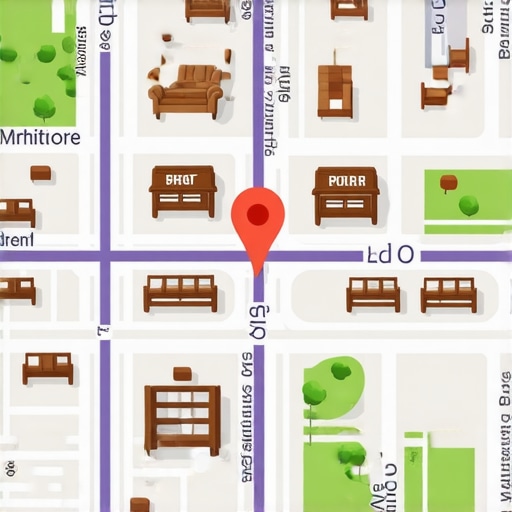
If traditional tracking is a single point on a map, a geo-grid is a high-resolution satellite image. A geo-grid (or heatmap) is a specialized google maps rank tracker that simulates searches from a grid of specific GPS coordinates overlaid across your city. Instead of one ranking number, you get a visual map – usually a 5×5, 7×7, or 13×13 grid – where each node represents a specific location.
Each node is color-coded. Green nodes (1, 2, or 3) mean you are in the “Map Pack” and getting the lion’s share of clicks. Yellow and red nodes (4+) mean you are buried in the “More Places” menu, where 90% of users never venture. For a furniture shop, this visual data is transformative. You might see that you dominate the wealthy suburbs to the north but are completely invisible in the trendy downtown lofts to the south, despite being equidistant from both.
This spatial data allows you to diagnose the “Proximity Paradox” mentioned earlier. You can finally see the truth behind Why Your Furniture Showroom Stays Invisible Even When You Search From Next Door. Often, the “red zones” on your map aren’t there because of a lack of inventory or poor service; they exist because your google business profile seo hasn’t been optimized to project relevance into those specific neighborhoods. Without a geo-grid, you’re flying blind, spending money on broad advertising while your local competitors pick off customers in the very streets you should own.
Using a tool like SEO Viper Tools, you can visualize these “cold spots” in real-time. This isn’t just about vanity metrics; it’s about identifying exactly where your marketing spend needs to be focused to expand your “Green Zone” and capture more foot traffic from every corner of town.
How to Set Up Your First Furniture Shop Rank Audit
Setting up a geo-grid audit is straightforward, but it requires a strategic approach to keyword selection and grid density. You don’t want to track every keyword; you want to track the ones that drive high-ticket sales. For a furniture store, “furniture store near me” is essential, but “custom velvet sofas” or “solid wood dining tables” might be where the real profit lies.
Step 1: Keyword Selection. Choose 5-10 core keywords. Include broad terms (furniture store) and specific categories (bedroom furniture, office chairs). If you specialize in a style, like “mid-century modern furniture,” make sure that is in your top priority list. This allows you to see if you rank google business profile effectively for your niche vs. general searches.
Step 2: Define Your Grid Radius. Most furniture shoppers are willing to drive further than someone looking for a dry cleaner. I recommend a 5-mile to 10-mile radius depending on your city’s density. Set your grid to at least 11×11 nodes. This gives you enough data points to see exactly which street corners are your “borderlands” where you start to lose rank.
Step 3: Run the Report. By using a google maps ranking service, you can automate this process. The tool will ping Google’s API from each coordinate and return your exact position in the Map Pack. This is the only way to get an unbiased view of your local market share.
Step 4: Baseline and Frequency. Run your first report as a baseline. Then, schedule weekly or bi-weekly scans. Local SEO is not a “one and done” task. Competitors change their tactics, new businesses open, and Google updates its core algorithm frequently. Utilizing professional local seo ranking tools ensures you are alerted the moment a competitor starts encroaching on your territory.
Remember, the goal of this setup is to move from “I think we’re doing okay” to “I know we are losing the Westside neighborhood to Smith’s Furniture, and here is exactly how much we need to improve to take it back.”
Analyzing the Data: Why Are There “Cold Spots” in Your Neighborhood?
Once your geo-grid report is generated, you will likely see a sea of green around your shop, fading into yellow and then deep red as you move further away. These “red zones” or cold spots are where your revenue is leaking. But why do they exist? Analyzing the data requires looking at several factors beyond just distance.
First, check for NAP consistency (Name, Address, Phone). If your business information is inconsistent across the web, Google loses trust in your location, and your “ranking radius” shrinks. Even a small discrepancy in how your street name is listed can cause your profile to “flicker” in and out of the Map Pack in certain areas.
Second, look at competitor density in those red zones. If a competitor is physically closer to that neighborhood, you have to work twice as hard on your “Prominence” signals. This is where engagement comes in. If your listing has low click-through rates, Google will stop showing it in distant neighborhoods. Often, this comes down to visual appeal. You might be suffering from The Photo Mistake Costing Your Furniture Showroom Thousands of Map Impressions. If your photos are dark, amateurish, or don’t show the breadth of your showroom, users won’t click, and your rank will suffer.
Recent data from industry leaders like Whitespark and BrightLocal in 2025/2026 confirms that user behavior – specifically “dwell time” on your profile and interaction with your photos – is a massive ranking signal. If you see “red” in a high-value neighborhood, it’s a signal that you need to bolster your local relevance through localized content and reviews from customers who actually live in that specific zip code. This is a core component of google business profile optimization.
Beyond Tracking: Using Grids to Dominate Local Search
Tracking is only the first step. The real magic happens when you use geo-grid data to inform your actual google business profile seo strategy. If the grid shows you are failing in a specific affluent suburb, you shouldn’t just “do more SEO” – you should do *targeted* SEO.
Start by requesting reviews from customers who live in that specific “red” neighborhood. When a customer from the “Oak Hill” area leaves a review mentioning they bought a “sectional sofa for their Oak Hill home,” Google’s AI associates your business with that specific geographic entity. This “Geo-Relevance” can push your green circles further into territory previously held by competitors.
Furthermore, use your Google Business Profile posts to mention local landmarks or events near your cold spots. Are you delivering furniture to a new development in the north end? Post a photo of the delivery truck in that neighborhood (with permission) and mention the area by name. These are the subtle signals that tell Google your furniture shop isn’t just a point on a map; it’s a vital part of the entire community’s commerce.
You should also ensure you are tracking the 7 Map Ranking Signals Every 2026 Furniture Showroom Needs. As the algorithm becomes more sophisticated, it’s no longer enough to just have a high star rating. You need high-frequency updates, Q&A sections filled with keyword-rich answers, and a profile that is as dynamic as your showroom floor. By using a google maps ranking service, you can see the direct impact of these optimizations as the red nodes on your grid slowly turn to green.
Finally, consider your “Relevance” signals. If you rank well for “furniture” but poorly for “mattresses,” your grid will show you exactly where you need to beef up your on-page SEO and your GBP product categories. The grid is a diagnostic tool that tells you exactly which “medicine” your business needs to grow.
Conclusion & Call to Action
In the competitive world of furniture retail, being “somewhere” on Google isn’t enough. You need to be everywhere your customers are. If you aren’t tracking your rank street by street, you are leaving your local market share to chance – and to the big-box retailers who are already using these technical tools to squeeze out independent showrooms.
Stop relying on the “Proximity Paradox” and start seeing the truth. A comprehensive google business profile seo strategy, backed by high-resolution geo-grid data, is the only way to ensure that when a shopper in your town thinks about a new sofa, your showroom is the first thing they see on their screen. Don’t let another weekend of foot traffic go to the store down the road simply because they showed up on the map and you didn’t.
Take control of your local visibility today. Audit your showroom’s performance using SEO Viper Tools and start turning those red zones into high-converting green zones. The streets are waiting – make sure you own them.