
The One Address Error That Makes Your Furniture Store Invisible to Local Buyers
For a furniture retailer, the showroom is the heartbeat of the business. You’ve invested hundreds of thousands, perhaps millions, into a physical space where customers can feel the velvet of a sofa, test the firmness of a mattress, and envision a dining set in their own home. In the furniture industry, digital browsing is the precursor, but the physical visit is the closer. However, if your showroom doesn’t appear in the “near me” searches on Google Maps, your store is effectively a ghost town. Despite having a beautiful storefront and a premium inventory, a single, overlooked technicality in your google business profile seo could be making you invisible to the very people driving past your door.
Furniture stores are uniquely dependent on the Google “Map Pack.” Unlike e-commerce-only brands, local showrooms rely on proximity signals to drive foot traffic. When a local buyer searches for “high-end sofas” or “mid-century modern furniture,” Google’s primary goal is to show them the most relevant physical locations nearby. If your profile contains the “One Address Error” we are about to discuss, you are essentially telling Google’s algorithm that you don’t exist in the physical world. To understand how to stay visible, you must first understand Unveiling the Top Local Search Signals for 2025 Google Rankings.
The “Service Area” Trap: Why Your Showroom is Hidden
The most devastating error a furniture store owner can make is mistakenly setting their profile as a “Service Area Business” (SAB) or hiding their physical address within the Google Business Profile dashboard. This usually happens for one of two reasons: either the owner is concerned about privacy (rare for a retail store but common for home-based startups) or they’ve been told by a misinformed “expert” that they can “reach more people” by selecting a wide service area instead of a fixed point.
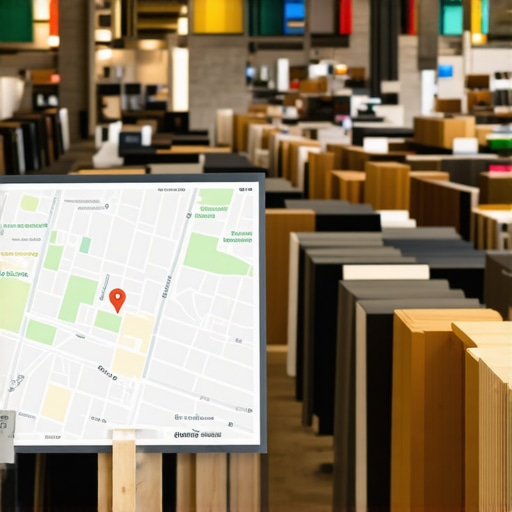
For a furniture store, hiding your address is a death sentence for your google business profile ranking. When you hide your address, you are signaling to Google that you do not have a storefront where customers are welcomed. This immediately kills your “Proximity” signals. Google’s algorithm is designed to prioritize businesses that have a verified, physical presence for retail queries. By opting for a service area instead of a pinned location, you lose the “red pin” on the map, and your store will rarely, if ever, appear for high-intent local searches.
Furthermore, this error often leads to the dreaded “Google Suspension.” Research indicates that over 1 million businesses are suspended annually, frequently due to incorrect address settings or the use of virtual offices and P.O. boxes. Google’s AI is incredibly sophisticated at detecting when a business is trying to game the system by claiming a location where they don’t actually have a showroom. If you want to ensure your profile is set up correctly from the start, you need professional google business profile optimization to avoid the pitfalls that lead to invisibility or suspension.
The Technical Trifecta: Proximity, Relevance, and Prominence
To rank google business profile listings effectively, Google relies on a “Technical Trifecta.” If your address data is flawed, you break all three pillars of this foundation. As a Google Business Profile Product Expert, I have seen stores with massive brand recognition fall off the map because they neglected these core components.
Proximity: The Distance Factor
Proximity is the most weighted factor in the local algorithm. It measures how far the user is from your front door at the moment of their search. If your address is incorrectly formatted or hidden, Google cannot calculate this distance. For furniture stores, being even a few blocks away from the “centroid” of a city can impact rankings, but having a broken address link means you aren’t even in the race.
Relevance: The NAP Consistency Signal
Relevance asks: “Does this business actually provide what the user is looking for?” A major part of relevance is trust. If your address on Google doesn’t match your address on Yelp, Yellow Pages, or your own website, Google’s trust in your business’s relevance drops. This is why google maps seo is largely a game of data consistency. Inconsistent Name, Address, and Phone (NAP) data creates a “data conflict” that suggests your business might be closed or fraudulent.
Prominence: The Digital Landmark
Is your store a “landmark” in the digital sense? Prominence is built through reviews, local mentions, and backlinks. However, all those signals must point back to a singular, verified location. If your address is fragmented across the web, your prominence is diluted. To master these nuances, read our guide on Mastering Local Search Signals to Boost Your Map Rankings.
Formatting Fails: The “Suite Number” and “USPS Standard” Conflict
Even if you have your address visible, you might still be suffering from a “Formatting Fail.” This is a subtle error where the way your address is written causes a conflict in Google’s database. The most common culprit is the “Suite” or “Unit” number. If your lease says “Suite 100,” but your website says “Unit 100,” and your Google profile says “#100,” you are creating a data mismatch.
Google prefers addresses that adhere to USPS standards. When there is a conflict, Google’s AI has to “guess” which one is correct. In the world of google business profile optimization, you never want Google to guess. Every time the algorithm encounters a variation, it loses a fraction of confidence in your data. This lack of confidence is what keeps you in position #4 or #5 – just outside the high-traffic Map Pack.
The NAP Audit Checklist for Furniture Stores:
- Does your address on your website footer match your GBP exactly?
- Are you using “St.” in one place and “Street” in another? (Pick one and stick to it).
- Is your suite number on a separate line or the same line? (Google prefers it on the same line as the street address in many cases).
- Have you checked your citations on major directories recently?
Managing these hundreds of citations manually is a nightmare, which is why many top-performing stores utilize specialized local seo tools to sync their data across the web instantly.
Case Study: From Invisible to #1 in the Map Pack
Consider the case of “Sofas 2 Furnishings,” a mid-sized furniture retailer that was struggling to compete with big-box national chains. Despite spending thousands on PPC ads, their organic foot traffic was declining. Our audit revealed the “One Address Error”: they had recently moved to a larger showroom but had three different versions of their address floating around the web. Their Google Business Profile was still linked to an old “Suite B” designation that no longer existed.
By simply standardizing their address, verifying the new location through the proper dashboard channels, and cleaning up their local citations, their Map Pack visibility skyrocketed. Within 45 days, they moved from the second page of Maps to the #1 spot for “furniture store near me.” This “Simple Code Tweak” – fixing the data – outperformed their entire previous ad budget because it leveraged the power of organic trust. You can read more about this phenomenon in our article on How Tweaking 3 Map Ranking Signals Outperformed Our Entire Furniture Ad Budget.
Step-by-Step: How to Fix Your Furniture Store’s Address Without Getting Suspended
Fixing your address isn’t as simple as just typing in a new one. Because of the high volume of spam, Google is extremely sensitive to address changes. If you change your address haphazardly, you will likely trigger a suspension, requiring you to go through a grueling reinstatement process.
- Audit Your Existing Citations: Before touching your Google Profile, use a google maps ranking service or an audit tool to see how your address appears elsewhere.
- Update Your Website First: Ensure your “Contact Us” page and footer reflect the exact address you want Google to use.
- The Dashboard Update: Log into your Google Business Profile. Navigate to “Edit Profile” > “Business Information” > “Location.”
- The Pin Drop: When you enter the address, ensure the map pin is dropped exactly over your showroom’s entrance. This helps with precise google maps seo.
- Prepare for Video Verification: Google now frequently requires “Video Verification” for address changes. You will need to film a continuous video showing your street sign, your storefront, and your interior showroom to prove you are a real business.
Do not attempt to use a virtual office or a co-working space address. Google’s “risk factors” for gmb ranking service providers are at an all-time high. If you are unsure if your current address will pass muster, use a google business profile audit tool to check your risk level before making changes.
Beyond the Address: Strengthening Your Local Signals
Fixing the address is the baseline – the price of entry. Once your location data is pristine, you must build on that foundation to rank higher on google maps than your competitors. This involves generating a steady stream of high-quality reviews (with photos of the furniture in customers’ homes) and earning local mentions from community blogs and news sites.
Local mentions act as “digital votes” for your business’s physical location. When a local interior design blog links to your showroom and mentions your city and neighborhood, it reinforces the proximity and relevance signals we discussed earlier. This was the turning point for many of our clients, as detailed in How Local Mentions Finally Fixed My Interior Design Studio’s Vanishing Map Rank.
Conclusion: Reclaiming Your Local Foot Traffic
In the competitive world of furniture retail, you cannot afford to be invisible. A single address error – whether it’s a “Service Area” mistake, a suite number conflict, or inconsistent NAP data – can hide your showroom from thousands of ready-to-buy customers. Precision is the hallmark of local seo services. By auditing your address, standardizing your formatting, and following the correct verification procedures, you can reclaim your spot in the Map Pack and turn digital searches into showroom sales.
If you have recently updated your address, don’t just wait and hope. Use a google maps rank tracker to monitor your progress and ensure your store is finally visible to the local buyers who are looking for you right now. If you need expert assistance to navigate these technical waters, seeking a professional local seo agency or using SEO Viper tools can provide the edge you need to dominate your local market.